TikTok Video vs Slideshow vs Audio: What’s the Difference?
Learn the difference between TikTok videos, slideshow photo posts, and audio extraction, including common link patterns and which Pull2.me downloader to use.
Download TikTok Media
Paste a supported public TikTok link and download available videos, audio, slideshows, or photo-post images.
Open TikTok DownloaderKeep exploring this topic
Practical Pull2.me guides that answer the next questions people usually have.
How to Download TikTok Videos Without Watermark
Learn how to process supported public TikTok video links and use an available no-watermark source when supported.
Read guideHow to Download TikTok Audio as MP3
See how to extract and save available audio from supported public TikTok videos.
Read guideHow to Download TikTok Slideshow Photos
Save individual slideshow images or download all available photos when supported.
Read guideTikTok content can appear as a regular video, a photo slideshow, or a video whose audio you want to save separately.
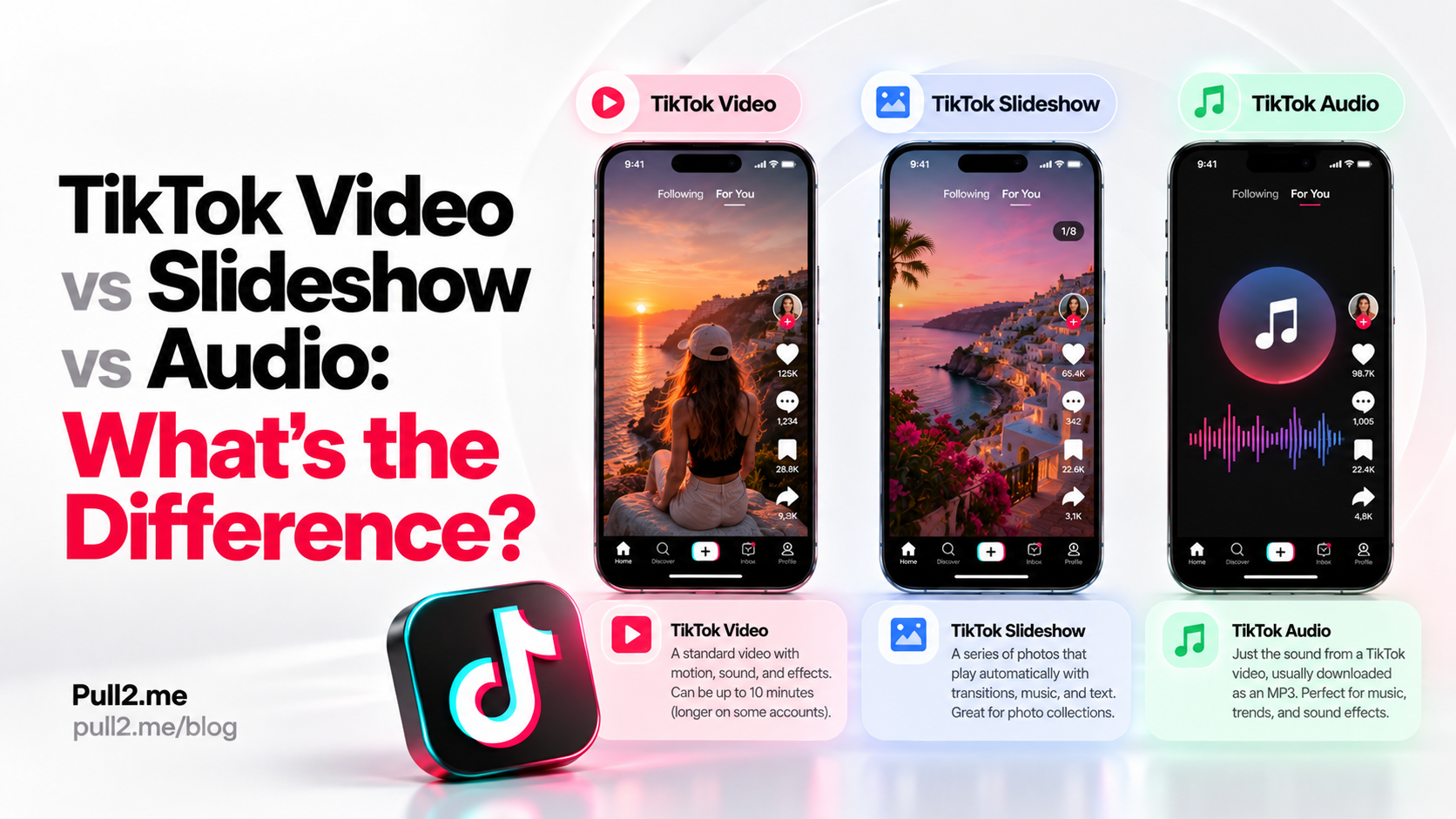
These are different workflows, even when they all begin with a TikTok link.
The simplest way to think about them is:
- TikTok video → save the available video file
- TikTok slideshow → save one or more available images
- TikTok audio → extract the available audio from a supported video
If you are not sure what type of TikTok link you have, start with the TikTok Downloader.
Quick Answer
| TikTok content | Typical media | Common link clue | Pull2.me tool |
|---|---|---|---|
| Video | Video with audio | /video/ | TikTok Downloader |
| Slideshow / photo post | Multiple images | /photo/ on some links | TikTok Slideshow Downloader |
| Audio extraction | Audio from a supported video | Usually starts from a video link | TikTok MP3 Downloader |
The exact TikTok URL format can vary, but /video/ and /photo/ are useful clues.
What Is a TikTok Video?
A standard TikTok video is a video post published on TikTok.
A common URL pattern contains:
/video/
For example:
https://www.tiktok.com/@username/video/1234567890
A TikTok video can contain:
- Video
- Audio
- Captions
- Text overlays
- Effects
- Music
- Voiceovers
If you want the complete available video, use the TikTok Downloader.
What Is a TikTok Slideshow?
A TikTok slideshow, sometimes described as a photo post, contains multiple images instead of a normal continuous video.
Users swipe through or view the images as a sequence.
A slideshow can contain:
- Photos
- Graphics
- Text-based images
- Multiple visual slides
Some TikTok photo-post URLs can contain:
/photo/
For example:
https://www.tiktok.com/@username/photo/1234567890
For supported photo posts, use the TikTok Slideshow Downloader.
Pull2.me can show available slideshow images individually, and when multiple supported images are detected, an option may be available to download them together.
What Is TikTok Audio Downloading?
TikTok audio downloading means extracting the available audio track from a supported TikTok video rather than saving the complete video.
The source usually begins as a normal public TikTok video link.
For example:
https://www.tiktok.com/@username/video/1234567890
The TikTok MP3 Downloader processes the supported video and prepares the available audio when a compatible audio source is accessible.
TikTok Video vs Slideshow
The main difference is the type of media inside the post.
TikTok video
A standard TikTok video contains moving video frames and audio.
It commonly uses a URL containing:
/video/
TikTok slideshow
A slideshow contains multiple still images.
Some photo-post URLs use:
/photo/
The slideshow downloader is designed to return the available images rather than treating the post like a normal video.
TikTok Video vs Audio
A TikTok video and TikTok audio can come from the same original post.
The difference is what you want to save.
Video download
Keeps the available video media.
Use:
Audio download
Extracts the available audio from a compatible supported video.
Use:
Audio extraction does not create new audio that was not present in the source.
Slideshow vs Audio
A slideshow and audio extraction are different workflows.
A slideshow focuses on the image items inside a TikTok photo post.
Audio extraction focuses on the audio track available from a supported TikTok video.
If the post is primarily a set of photos, use the slideshow downloader.
If it is a standard video and you only want its available audio, use the audio downloader.
How to Tell What Type of TikTok Link You Have
The URL can provide a useful clue.
Video link
Look for:
/video/
Example:
www.tiktok.com/@creator/video/...
Photo or slideshow link
Some TikTok photo posts use:
/photo/
Example:
www.tiktok.com/@creator/photo/...
Short links
TikTok can also use shortened share links.
A short link may redirect before revealing the final content type.
If you are unsure, paste the supported public link into the main TikTok Downloader.
Which Pull2.me TikTok Tool Should I Use?
Regular TikTok video
Use the TikTok Downloader.
TikTok slideshow or photo post
Use the TikTok Slideshow Downloader.
TikTok audio
Use the TikTok MP3 Downloader.
iPhone
Use the TikTok Downloader for iPhone if you want device-specific instructions.
Android
Use the TikTok Downloader for Android for Android-specific guidance.
Can a TikTok Slideshow Have Audio?
TikTok photo posts can be presented with music or other audio in the TikTok experience.
However, the slideshow image downloader and the audio downloader solve different problems.
The slideshow downloader focuses on the available image items.
The audio downloader focuses on compatible audio available from supported video sources.
Can I Download Only One Photo From a TikTok Slideshow?
Yes, when Pull2.me detects supported slideshow images individually.
You can choose the image you want instead of saving the complete set.
This is useful when the slideshow contains several photos but you only need one.
Can I Download All Slideshow Photos Together?
When multiple supported slideshow images are available, Pull2.me can provide an option to save the available images together.
This may be packaged as a ZIP file so the images can be downloaded in one file and extracted afterward.
What Is a ZIP File?
A ZIP file is a container that can hold multiple files together.
For slideshow downloads, it can contain several available images from the same supported TikTok post.
Most modern phones and computers can extract ZIP files using their built-in file manager.
Can I Download TikTok Audio as MP3?
When a compatible audio source is available for a supported public TikTok video, Pull2.me can prepare the available audio for download through the TikTok MP3 Downloader.
Availability depends on the media source TikTok makes accessible for that post.
Is TikTok Audio the Same as the Original Song?
Not necessarily.
The available audio may be the audio track associated with the TikTok video.
That could include:
- Music
- Voice
- Sound effects
- Dialogue
- A combination of sounds
Pull2.me extracts the available audio source; it does not identify or recreate the original master recording.
Does Downloading TikTok Audio Give Me Permission to Reuse It?
No.
Downloading a file does not automatically grant copyright or reuse rights.
Only reuse audio when you:
- Own it
- Have permission
- Have a license
- Are otherwise legally allowed to use it
Pull2.me does not grant additional rights to downloaded media.
Do I Need a TikTok Account?
You do not need to connect your TikTok account to Pull2.me for supported public TikTok links.
The original post must still be publicly accessible and supported.
Can Pull2.me Download Private TikTok Posts?
No.
Pull2.me does not bypass private-account protections or other access restrictions.
Private, deleted, restricted, or otherwise unavailable TikTok content may not be accessible.
What If the TikTok Link Is Deleted?
If the original TikTok post has been removed, the media may no longer be available to process.
The downloader depends on the source still being accessible.
What If the TikTok Link Is Incomplete?
Copy the TikTok share link again and make sure you paste the complete URL.
For regular video links, the final URL often contains:
/video/
For some photo posts, it may contain:
/photo/
Why Is a TikTok Video Not Downloading?
Common reasons include:
- The post is private
- The post was deleted
- The URL is incomplete
- The content is restricted
- TikTok changed how the media is delivered
- The specific media source is not currently available
If the post is still publicly accessible, copying the link again and retrying can help.
Why Is TikTok Audio Not Available?
Not every TikTok post exposes media in exactly the same way.
A compatible audio source may not always be available.
If Pull2.me cannot access a compatible audio source, it may not be able to prepare the audio download.
You can still try the TikTok Downloader if you want the complete available video instead.
Why Is a TikTok Slideshow Not Downloading?
A slideshow may fail if:
- The photo post is private
- The post was deleted
- The URL is incomplete
- The slideshow format is not currently supported
- TikTok temporarily changed media delivery
Make sure the public post is still accessible and retry with the complete link.
TikTok Video Downloads on iPhone
On iPhone, Pull2.me works through a modern browser such as Safari.
The basic process is:
- Copy the supported TikTok link.
- Open the TikTok Downloader for iPhone.
- Paste the link.
- Process the media.
- Download the available result.
Downloaded files are generally handled through the Files app.
TikTok Video Downloads on Android
On Android:
- Copy the supported TikTok link.
- Open the TikTok Downloader for Android.
- Paste the link.
- Process the media.
- Download the available result.
Files usually appear in the Downloads folder or browser download manager.
TikTok Video, Slideshow, and Audio Comparison
| Feature | Video | Slideshow | Audio |
|---|---|---|---|
| Main media | Video | Images | Audio |
| Common source link | /video/ | /photo/ on some posts | Usually /video/ |
| Can contain multiple images | No | Yes | No |
| Can download individual images | No | Yes | No |
| Can download as ZIP | No | Sometimes | No |
| Keeps moving video | Yes | No | No |
| Extracts sound only | No | No | Yes |
Frequently Asked Questions
What is the difference between a TikTok video and slideshow?
A video contains moving video content, while a slideshow contains multiple still images or photo slides.
How do I identify a TikTok video link?
A standard TikTok video URL commonly contains /video/.
How do I identify a TikTok photo post?
Some TikTok photo-post URLs contain /photo/.
Can I download all TikTok slideshow photos?
When multiple supported slideshow images are detected, Pull2.me may provide an option to download the available images together.
Can I download one slideshow image only?
Yes, when the supported images are shown individually.
Can I extract only the audio from a TikTok video?
Yes, when a compatible audio source is available. Use the TikTok MP3 Downloader.
Does audio downloading remove the video?
The audio downloader prepares an audio-only result rather than the complete video file.
Can Pull2.me download private TikTok posts?
No. Pull2.me does not bypass private-account protections.
Do I need to log in to TikTok?
You do not need to connect a TikTok account to Pull2.me for supported public links.
Which TikTok tool should I use if I am unsure?
Start with the TikTok Downloader.
Choose the Right TikTok Downloader
Use the tool that matches the media you need:
- TikTok Downloader — regular supported videos
- TikTok Slideshow Downloader — supported photo posts and slideshows
- TikTok MP3 Downloader — available audio from compatible supported videos
- TikTok Downloader for iPhone — iPhone-specific workflow
- TikTok Downloader for Android — Android-specific workflow
If you are unsure, start with the main TikTok Downloader and let Pull2.me process the supported public link.
Related TikTok Tools
Continue with the Pull2.me tools related to this guide.
Related Guides
More guides related to this article and its creator workflow.