JPG vs PNG vs WebP: Which Image Format Should You Use?
Learn the practical differences between JPG, PNG, and WebP, including compression, transparency, file size, image quality, browser support, and when to use each format.
Try Pull2.me Creator Tools
Use Pull2.me browser tools for media downloads and everyday creator workflows.
Explore Creator ToolsJPG, PNG, and WebP are three of the most common image formats on the web, but they are designed for different jobs.
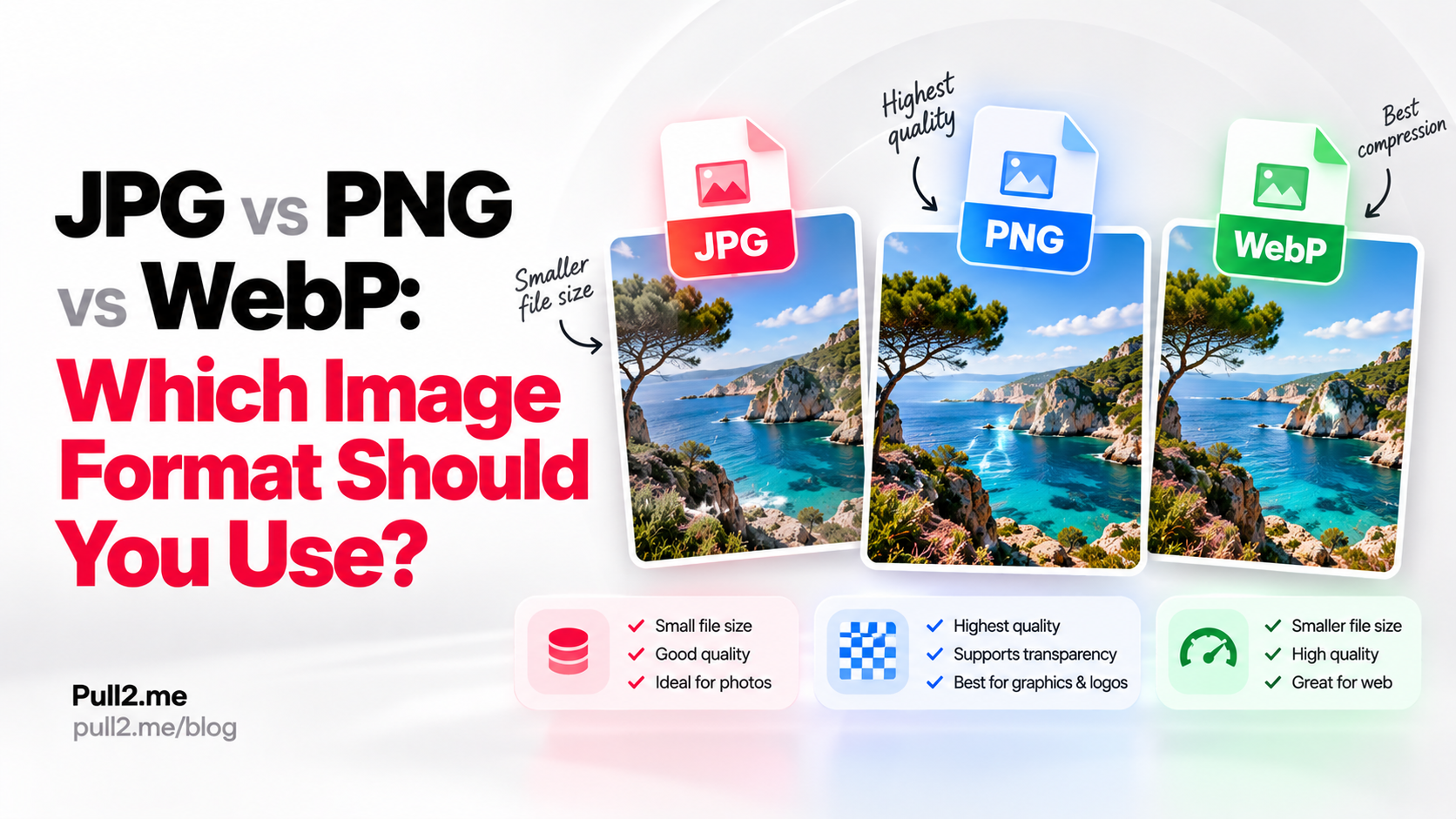
The simplest way to choose between them is:
- Use JPG for photographs when small file size matters.
- Use PNG when you need transparency or very sharp graphics.
- Use WebP when you want a modern format that can offer good quality at smaller file sizes.
There is no single format that is always best.
The right choice depends on the image, the required quality, whether transparency is needed, and where the file will be used.
Quick Answer
| Format | Best for | Transparency | Compression | Typical file size |
|---|---|---|---|---|
| JPG | Photos and general web images | No | Lossy | Small |
| PNG | Graphics, screenshots, transparent images | Yes | Lossless | Larger |
| WebP | Modern web images, photos, graphics | Yes | Lossy or lossless | Often smaller |
If you need to convert between formats, use the Pull2.me Image Converter.
What Is JPG?
JPG, also commonly written as JPEG, is one of the most widely used image formats.
It is especially common for:
- Photographs
- Social media images
- Website photos
- Camera images
- Product photos
- Blog images
JPG uses lossy compression.
That means some image information is removed to reduce file size.
This can make JPG files much smaller, but repeated or aggressive compression can reduce visual quality.
What Is JPEG?
JPG and JPEG refer to the same image format.
The difference is mostly historical naming.
.jpg
and:
.jpeg
are both file extensions for JPEG images.
In practical use, they usually behave the same way.
What Is PNG?
PNG stands for Portable Network Graphics.
PNG is commonly used for:
- Logos
- Interface graphics
- Screenshots
- Icons
- Diagrams
- Images that need transparency
- Graphics with sharp edges or text
PNG usually uses lossless compression.
That means image data is preserved more accurately when the file is compressed.
The trade-off is that PNG files can be much larger than JPG files, especially for photographs.
What Is WebP?
WebP is a modern image format designed for efficient web delivery.
It can support:
- Lossy compression
- Lossless compression
- Transparency
- Animation
WebP is often used to reduce image file size while keeping good visual quality.
It can work well for both:
- Photographs
- Graphics
This makes it more flexible than some older formats.
JPG vs PNG
The biggest difference between JPG and PNG is compression and transparency.
JPG
JPG is usually better for photographs.
Advantages:
- Smaller file sizes
- Good for complex photo detail
- Widely supported
- Suitable for web publishing
Limitations:
- No transparency
- Lossy compression
- Quality can degrade with repeated saves
PNG
PNG is usually better for graphics and transparency.
Advantages:
- Supports transparency
- Lossless compression
- Good for sharp edges
- Good for text-heavy graphics
- Good for screenshots
Limitations:
- Larger file sizes
- Often inefficient for photographs
JPG vs WebP
JPG and WebP are both commonly used for photographs and general web images.
WebP can often provide similar visible quality at a smaller file size.
JPG advantages
- Very widely supported
- Simple workflow
- Common in cameras and image editors
- Easy to share
WebP advantages
- Modern compression
- Can support transparency
- Can support both lossy and lossless modes
- Often smaller than JPG for similar visual quality
If you want to convert JPG to WebP, use the JPG to WebP Converter.
PNG vs WebP
PNG and WebP can both support transparency.
The biggest difference is typically compression efficiency and intended use.
PNG
PNG is useful for:
- Logos
- Screenshots
- UI graphics
- Transparent images
- Graphics with sharp edges
WebP
WebP can be useful when you want:
- Transparency
- Smaller web images
- Modern browser delivery
- Flexible compression
If you want to convert PNG to WebP, use the PNG to WebP Converter.
If you need the reverse, use the WebP to PNG Converter.
Which Format Has the Best Image Quality?
That depends on how the image was created and compressed.
PNG
PNG can preserve image information without lossy compression.
For graphics, screenshots, and sharp text, this can produce very clean results.
JPG
JPG uses lossy compression.
At high quality settings, visual differences may be small.
At low quality settings, compression artifacts can become noticeable.
WebP
WebP can use either lossy or lossless compression.
This makes it flexible for balancing quality and file size.
Which Format Has the Smallest File Size?
There is no universal answer.
File size depends on:
- Image dimensions
- Image content
- Compression settings
- Quality level
- Transparency
- Number of colors
- Encoding method
In many web workflows:
- JPG is smaller than PNG for photographs
- WebP can be smaller than JPG for similar visual quality
- PNG can be larger for complex photographic content
The best way to know is to compare actual output files.
You can use the Image Compressor to test smaller file sizes.
Does PNG Support Transparency?
Yes.
PNG supports transparent pixels.
This is one of the main reasons it is widely used for:
- Logos
- Icons
- UI elements
- Overlays
- Product cutouts
Transparency allows the background behind the image to remain visible.
Does JPG Support Transparency?
No.
JPG does not support transparent pixels.
If you convert a transparent PNG to JPG, the transparent areas need to be replaced with a solid background.
You can try this with the PNG to JPG Converter.
Does WebP Support Transparency?
Yes.
WebP can support transparency.
This makes it useful for some workflows where PNG would otherwise be required.
Which Format Is Best for Photos?
For general photographs:
- JPG is still a practical and widely compatible choice
- WebP can be better for modern web delivery when smaller file size is important
PNG is usually not the most efficient choice for regular photographs because file sizes can become much larger.
Which Format Is Best for Logos?
PNG is often a strong choice for logos because it supports:
- Transparency
- Sharp edges
- Lossless compression
WebP can also work for logos, especially on modern websites.
JPG is usually not ideal for logos that require transparency.
Which Format Is Best for Screenshots?
PNG is often useful for screenshots because screenshots usually contain:
- Text
- UI elements
- Sharp edges
- Flat colors
Lossy compression can make text and interface elements look less clean.
WebP can also be useful depending on the workflow and compression settings.
Which Format Is Best for Social Media?
Social platforms often process or recompress uploaded images.
A common approach is:
- JPG for photographs
- PNG for graphics or screenshots
- Use the platform's recommended dimensions
If the platform does not accept your current file format, convert it first using the Image Converter.
Which Format Is Best for Websites?
For websites, the main goals are usually:
- Fast loading
- Good image quality
- Broad browser support
- Reasonable file size
WebP is often a strong choice for modern web delivery.
JPG remains useful for photographs.
PNG is still useful when transparency or lossless graphics are required.
Which Format Is Best for SEO?
Search engines do not rank an image simply because it uses one format instead of another.
What matters more is how the image affects the page experience.
Important factors include:
- File size
- Loading speed
- Image dimensions
- Responsive delivery
- Image quality
- Alt text
- Page relevance
A smaller image can help page performance when it reduces download size without harming usability.
Does Image Format Affect Page Speed?
Yes.
Large image files can slow down page loading.
A smaller image usually requires less data to transfer.
However, format alone does not determine performance.
Image dimensions, compression level, lazy loading, responsive images, and caching can also matter.
Is WebP Always Better Than JPG?
No.
WebP can be more efficient in many situations, but that does not mean it is always the correct format.
JPG may still be preferable when:
- Compatibility is a priority
- The file needs to be opened in older software
- The image is already available in JPG
- A simple workflow matters more than maximum compression efficiency
Is WebP Always Better Than PNG?
No.
PNG can still be useful when:
- Lossless preservation matters
- You need very sharp graphics
- You are working with screenshots
- You need predictable transparency behavior
- Compatibility with a specific workflow matters
WebP can be smaller, but smaller file size is not the only consideration.
What Is Lossy Compression?
Lossy compression reduces file size by removing some image information.
The goal is to remove data that is less noticeable to the viewer.
JPG commonly uses lossy compression.
WebP can also use lossy compression.
The more aggressive the compression, the more likely you are to see visual artifacts.
What Is Lossless Compression?
Lossless compression reduces file size without intentionally removing image information.
When decompressed, the image data is preserved.
PNG commonly uses lossless compression.
WebP can also support lossless compression.
What Are Compression Artifacts?
Compression artifacts are visual defects caused by lossy compression.
They can include:
- Blockiness
- Blurred edges
- Ringing around details
- Loss of fine texture
- Color smearing
These are more noticeable when quality settings are very low.
Can Converting an Image Improve Quality?
Not automatically.
Converting a low-quality JPG to PNG does not restore lost image detail.
The PNG may preserve the current image without further lossy compression, but it cannot recreate information that was already removed.
The same applies when converting between other formats.
Changing format does not magically increase source quality.
Does Converting PNG to JPG Reduce Quality?
It can.
PNG is often lossless, while JPG uses lossy compression.
When converting PNG to JPG:
- Transparency is removed
- Some image data may be lost
- File size may become smaller
- Compression artifacts may appear depending on quality settings
Does Converting JPG to PNG Improve Quality?
No.
Converting JPG to PNG does not restore information lost during the original JPEG compression.
The PNG may create a larger file while preserving the current JPG appearance.
Does Converting JPG to WebP Improve Quality?
Not necessarily.
Converting format does not add missing image information.
The main benefit is usually file size and delivery efficiency.
You can choose a quality level that keeps the result visually close to the source.
Why Is My PNG File So Large?
PNG files can become large because they preserve image data with lossless compression.
This is especially noticeable with:
- Photographs
- Large dimensions
- Complex color variation
- Detailed backgrounds
You can try reducing the file size with the PNG Compressor.
Why Is My JPG File So Large?
JPG file size depends on:
- Resolution
- Quality setting
- Image detail
- Metadata
- Compression level
A very large high-resolution JPG can still use significant storage.
Use the JPG Compressor to reduce file size when appropriate.
Why Is My WebP File Still Large?
WebP is not guaranteed to create a tiny file.
File size still depends on:
- Resolution
- Quality
- Image detail
- Transparency
- Compression mode
You can try the WebP Compressor for supported files.
JPG, PNG, and WebP Comparison
| Feature | JPG | PNG | WebP |
|---|---|---|---|
| Lossy compression | Yes | No | Yes |
| Lossless compression | No | Yes | Yes |
| Transparency | No | Yes | Yes |
| Good for photos | Yes | Usually not ideal | Yes |
| Good for graphics | Sometimes | Yes | Yes |
| Good for screenshots | Sometimes | Yes | Yes |
| Common web use | Yes | Yes | Yes |
| Can be animated | No | No | Yes |
When Should You Use JPG?
Use JPG when:
- You are working with photographs
- You want broad compatibility
- You need relatively small file sizes
- Transparency is not required
When Should You Use PNG?
Use PNG when:
- You need transparency
- You are working with screenshots
- You have text-heavy graphics
- You want sharp edges
- Lossless compression matters
When Should You Use WebP?
Use WebP when:
- You are optimizing images for modern websites
- You want good quality at smaller file sizes
- You need transparency
- You want a modern flexible image format
Which Format Should You Convert To?
The best output format depends on the final use.
Convert to JPG if:
- The image is mainly a photograph
- You want a common format
- Transparency is unnecessary
Convert to PNG if:
- You need transparency
- The image contains sharp graphics or text
- Lossless output is important
Convert to WebP if:
- You are preparing images for the web
- You want smaller files
- You need flexible compression
How to Convert Images With Pull2.me
You can use the Image Converter to convert supported images between common formats.
Useful conversion pages include:
How to Reduce Image File Size
Changing format can sometimes reduce file size, but compression is another option.
Use:
Always compare the compressed result with the original before using it for important visual content.
Frequently Asked Questions
Is JPG or PNG better?
JPG is generally more efficient for photographs, while PNG is better when transparency, sharp graphics, or lossless compression are important.
Is WebP better than JPG?
WebP can often provide smaller file sizes at similar visual quality, but JPG remains widely supported and practical.
Is WebP better than PNG?
WebP can be smaller and supports transparency, but PNG is still useful for lossless graphics and screenshots.
Which format supports transparency?
PNG and WebP support transparency. JPG does not.
Which format is best for photos?
JPG and WebP are usually better suited to photographs than PNG.
Which format is best for screenshots?
PNG is commonly a good choice for screenshots because it preserves sharp text and UI elements.
Which format is best for websites?
WebP is often a strong choice for modern web delivery, while JPG and PNG remain useful for specific types of images.
Does converting JPG to PNG improve quality?
No. Converting formats cannot restore image detail already lost through compression.
Does converting PNG to JPG remove transparency?
Yes. JPG does not support transparent pixels.
Can WebP use lossless compression?
Yes. WebP can support both lossy and lossless compression.
Can I compress JPG, PNG, and WebP images?
Yes. Pull2.me provides separate compression tools for supported JPG, PNG, and WebP files.
Choose the Right Image Format
The best format depends on the image and how you plan to use it.
For a simple rule of thumb:
- JPG → photographs and broad compatibility
- PNG → transparency, screenshots, and sharp graphics
- WebP → modern web delivery and efficient compression
If you need to change formats, open the Pull2.me Image Converter.
If file size is the main problem, try the Image Compressor.
Explore Pull2.me
Continue with the Pull2.me tools related to this guide.